West Wood QOL Update
Quality-of-life controls added during the original live era.
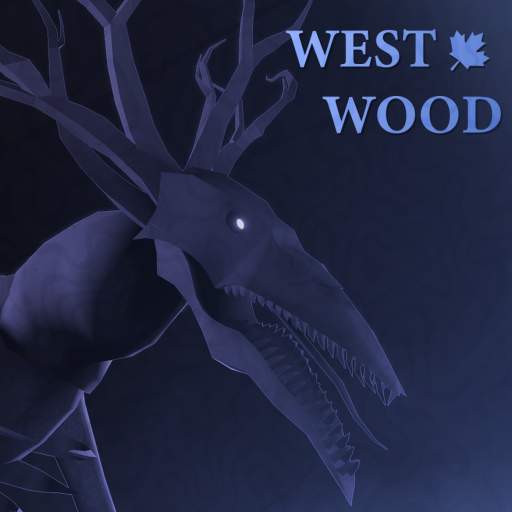
Before West Wood Group shifted focus to the full remake, the original experience received a quality-of-life (QOL) update that expanded PC controls beyond the short list on the main Roblox blurb. Players still reference this era as West Wood [QOL UPDATE] in stat trackers and old server titles. Understanding QOL bindings helps you read 2024–2025 gameplay footage and prepares muscle memory if similar features return in remake builds.
Why QOL mattered
Launch controls covered drop, contracts, accessories, sprint, and mouse unlock — enough to survive, not enough for nuanced horror movement. QOL added interaction, lean, zoom, and camera switching aimed at PC-first design. The original control list was functional but spartan; the QOL update acknowledged that players needed more tools to handle the tension between looting speed and creature evasion. When you are checking corners, watching a camera feed, and managing a hotbar simultaneously, even one extra binding changes how your hands position during a chase.
QOL PC binding reference
Bindings reported during the QOL era:
- Interact: E and F
- Sprint: Left Shift
- Tool interact: Left click
- Lean: Q and R
- Contracts: G
- Head flashlight: H
- Zoom: Left Ctrl
- Quick camera switch: 1 through 4
- Unlock mouse: T
Compare with the baseline in PC Controls — Backspace drop remains core even when QOL expanded interaction.
Lean and peeking
Q and R lean let players peek corners without full body exposure — critical for checking streets before sprinting between houses. Lean was a meaningful addition because West Wood’s horror design rewards information before movement. Before QOL, checking a street corner required leaning into the doorframe visually, which often meant sticking your whole body into the doorway where Jerry could spot you. With lean bound to Q and R, one player can confirm the street is clear while the rest of the squad stays behind cover. Practice lean in empty servers before relying on it during public matches — the timing of leaning back out of view after checking matters as much as the initial peek.
Head flashlight on H
QOL positioned H as head flashlight activation. Test toggles in daylight so you do not blind teammates during night hide. The headlamp is a two-edged tool: it helps you navigate dark interiors and search inside closets, but it also makes you visible to Jerry if the creature has line of sight through a window or doorway. The discipline rule is simple — lamp on only when you are stationary and need to read something or find a specific item. Never run with the headlamp on in areas Jerry could be watching. During power outage nights, the headlamp becomes significantly more valuable since ambient light sources are off, but the same visibility trade-off applies.
Camera shortcuts 1–4
Quick camera switching supports situational awareness in tight interiors — practice in empty servers before public nights. The camera system in West Wood lets one player monitor exterior approaches while others handle inventory or cooking. The 1–4 keys switch between available camera views, which means a dedicated spotter can cycle through multiple angles without leaving their position. Call out camera numbers to your squad so everyone knows which view you are watching — a callout like “camera 3 clear” tells your team that the approach to your safehouse from the north is currently unoccupied.
Relationship to remake pause
QOL shipped on the original place; development later paused for remake. Roblox may show no running experiences while builds are offline. The QOL update was one of the final content additions to the original West Wood place before development attention shifted entirely to the remake project. This means the QOL bindings represent the most refined control state the original experienced, and any remake controls will likely build on this foundation rather than starting from scratch.
Archive purpose
westwood.wiki keeps QOL documented so searchers landing on West Wood QOL update find binding tables immediately. The QOL update page also serves as a control history reference for players comparing old footage to current remake gameplay — changes and consistencies between QOL-era controls and remake controls reveal what West Wood Group considered essential versus experimental in their horror movement design.
Frequently Asked Questions
Quick answers to the most common questions.
Are QOL controls live right now?
Original may be unavailable — verify on Roblox before rebinding muscle memory.
Did QOL replace Backspace drop?
No — drop stayed on Backspace in official baseline descriptions.
Will remake include lean?
Unknown — watch Remake News for control devlogs.
Mobile missing lean — workaround?
Use camera-only peeks and paired spotters.
Where is developer footage?
See Creature guide embed and Official Links for Discord media channels.